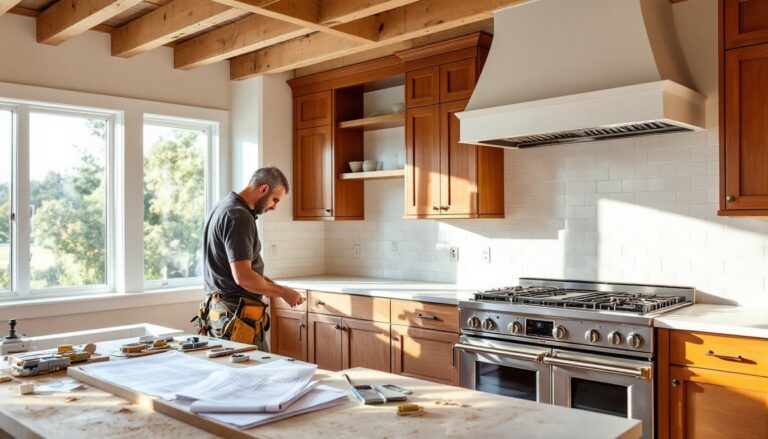

Setting up a home theater isn’t just about buying a big screen and some speakers. Between AV receiver configurations, acoustic treatments, speaker wire runs through walls, and calibrating surround sound, there’s real technical work involved, stuff that can turn a weekend project into a month-long headache if you’re winging it. A home theater specialist handles the heavy lifting: design, equipment selection, installation, and calibration. They bring the expertise to turn a spare room or basement into a properly tuned entertainment space without the trial-and-error that eats up time and money.
Table of Contents
ToggleKey Takeaways
- A home theater specialist handles design, installation, calibration, and integration of audio/video systems, turning complex projects into properly tuned entertainment spaces without costly trial-and-error.
- Hire a home theater specialist for structural changes, in-wall speaker installations, dedicated theater rooms, high-end AV gear, or smart home integration where professional calibration and expertise prevent expensive mistakes.
- Look for CEDIA, THX, or ISF certifications, verify liability insurance, request references with similar project scopes, and demand detailed quotes separating equipment costs from labor to find the right specialist.
- Professional installation typically spans five phases: consultation/design (1-2 weeks), pre-wire/rough-in (1-3 days), equipment installation (2-5 days), calibration (1 day), and client training—each critical for system performance.
- A basic home theater costs $500–$1,500, mid-range systems run $2,500–$6,000, and high-end dedicated theaters range $15,000–$50,000+, with labor at $75–$150/hour depending on specialist credentials and market rates.
- DIY works for simple soundbars and visible cable runs, but call a professional for in-wall installations, Atmos configurations, projector setups, or smart home integration where specialized knowledge prevents costly rework.
What Does a Home Theater Specialist Do?
A home theater specialist is a trained AV professional who designs, installs, and calibrates audio and video systems for residential spaces. They’re not just installers, they assess room acoustics, recommend equipment based on room dimensions and usage, run low-voltage wiring (HDMI, speaker cable, network drops), mount displays and projectors, configure receivers and processors, and fine-tune system performance.
Their scope typically includes:
- Room analysis: Measuring dimensions, identifying reflective surfaces, recommending acoustic treatments (bass traps, diffusers, wall panels)
- Equipment specification: Selecting speakers, subwoofers, amplifiers, projectors, and screens matched to the space and budget
- Custom installation: Running cables behind walls, mounting in-ceiling or in-wall speakers, building equipment racks, integrating smart home controls
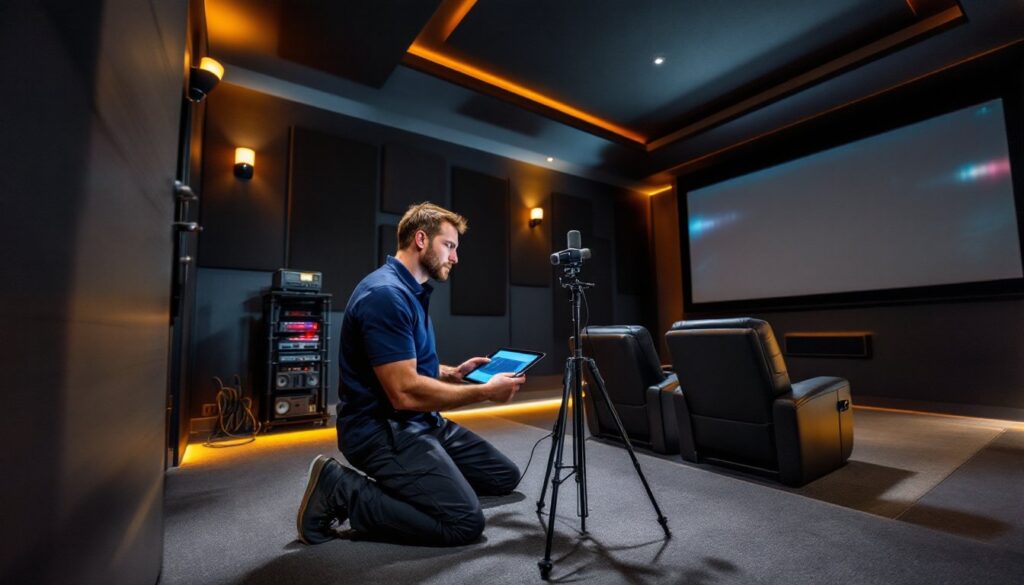
- System calibration: Using measurement microphones and software (like Audyssey or Dirac) to optimize speaker levels, crossover points, and EQ curves
- User training: Walking homeowners through remote operation, source switching, and basic troubleshooting
Many specialists also handle lighting control integration, motorized shades, and whole-home audio distribution. They often work alongside electricians (for dedicated circuits) and carpenters (for custom millwork or soffits), coordinating trades to keep projects on schedule.
When Should You Hire a Home Theater Specialist?
Hiring a specialist makes sense when the project involves structural changes, custom integration, or high-end equipment that requires precise calibration. Here are the scenarios where bringing in a pro pays off:
New construction or major remodels: Pre-wiring speaker locations, conduit runs for projectors, and in-wall component placement are far easier before drywall goes up. Specialists coordinate with builders to rough in cables and blocking.
In-wall or in-ceiling speaker installations: Cutting into finished walls or ceilings without hitting studs, joists, or existing utilities takes skill. Specialists know how to fish wire, patch around obstacles, and match speaker placement to room modes.
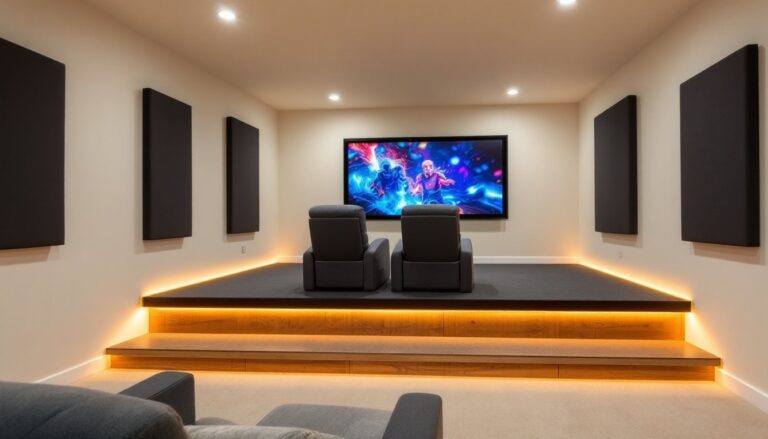
Dedicated theater rooms: Purpose-built theaters need acoustic design, tiered seating platforms, specialized HVAC considerations (equipment generates heat), and often custom cabinetry or fabric wall treatments. This isn’t a living room soundbar upgrade, it’s a controlled environment.
High-end AV gear: Projectors with lens shift, anamorphic lenses, multi-channel processors (Dolby Atmos with 7.2.4 or greater configurations), and separates-based systems benefit from professional calibration. Mistakes here are expensive.
Smart home integration: Tying theater controls into Crestron, Control4, or Savant systems requires programming expertise beyond typical DIY territory.
Professionals who specialize in home theater installations typically handle these complex scenarios with streamlined workflows and tested solutions.
How to Choose the Right Home Theater Specialist
Not all installers are created equal. Some are glorified handymen with a drill: others are trained engineers with acoustics backgrounds. Vetting candidates carefully prevents costly rework and disappointment.
Start by asking for references and photos of completed projects. Look for installations similar in scope and budget to yours. Check online reviews on Google, Yelp, and industry-specific sites, but focus on detailed feedback (responsiveness, problem-solving, post-install support) over generic praise.
Confirm they’re licensed and insured. Low-voltage work may not require an electrical license in all jurisdictions, but liability insurance is non-negotiable. If they’re running new circuits for amplifiers or projectors, a licensed electrician should be involved.
Ask about their design process. Good specialists start with a consultation, measuring the room, discussing usage (movies, gaming, sports), and identifying constraints (budget, existing furniture, WAF, wife acceptance factor). They should provide a written proposal with equipment lists, labor breakdowns, and project timelines.
Request a detailed quote that separates equipment costs from labor. Beware of vague line items like “installation” without specifics. You should see itemized speaker models, cable types, mounts, and accessories.
Certification and Experience to Look For
Industry certifications signal formal training and ongoing education. Look for:
- CEDIA (Custom Electronic Design & Installation Association): CEDIA-certified installers have completed coursework in AV fundamentals, networking, and project management. Higher tiers (ESC-N for networking, ESC-T for technology) indicate specialization.
- THX Certified Home Theater Professional: THX trains installers in room acoustics, speaker placement, and calibration standards developed for commercial cinemas.
- ISF (Imaging Science Foundation): ISF certification focuses on video calibration, critical for projector and display setup.
- Manufacturer-specific training: Brands like Klipsch, Triad, and Screen Innovations offer installer certifications for their products.
Experience matters more than certifications alone. A 10-year veteran who stays current on Dolby Atmos workflows and HDMI 2.1 specs beats a newly certified tech every time. Ask how many Atmos installs they’ve completed, whether they use measurement tools (REW, Dirac Live, or similar), and how they handle troubleshooting post-install.
Research from outlets like Popular Mechanics often highlights the importance of verifying credentials and hands-on experience before committing to any contractor.
What to Expect During the Installation Process
A professional installation typically follows a multi-phase timeline. Understanding each step helps set realistic expectations.
Phase 1: Consultation and Design (1-2 weeks)
The specialist visits the site, takes measurements, discusses preferences, and drafts a system design. Expect questions about viewing habits, seating layout, ambient light control, and aesthetic priorities (visible speakers vs. hidden components). You’ll receive a proposal with equipment recommendations, wiring diagrams, and cost estimates.
Phase 2: Pre-Wire and Rough-In (1-3 days)
If walls are open (new construction or remodel), the team runs speaker wire, HDMI cables, network drops, and power conduits. They install blocking between studs for TV mounts or speaker brackets and coordinate with electricians for dedicated 20-amp circuits. Code-compliant low-voltage wiring must meet local requirements, often NEC Article 725 for Class 2 circuits.
Phase 3: Equipment Installation (2-5 days)
Once drywall is finished and painted, installers mount speakers, displays, and projectors. In-ceiling speakers require precision cuts (typically 6.5″ to 8″ diameter) aligned with joists. Projector mounts need solid backing, never just drywall anchors. Equipment racks are assembled, and components (receivers, processors, streaming devices) are connected and labeled.
Phase 4: Calibration and Testing (1 day)
This is where specialists earn their fee. Using measurement microphones and software, they calibrate speaker distances, levels, crossover frequencies, and equalization. Dolby Atmos height channels require careful tuning to create convincing overhead effects. Video calibration adjusts color temperature, gamma, and contrast for accurate picture reproduction.
Phase 5: Client Training and Handoff (1-2 hours)
The installer walks you through system operation: powering on, selecting sources, adjusting volume, switching sound modes. You’ll get documentation, user manuals, wiring diagrams, remote programming guides. Confirm warranty terms and support availability before they leave.
Cost Considerations and Budgeting Tips
Home theater installation costs vary widely based on room size, equipment quality, and complexity. Expect these general ranges (as of 2026, subject to regional variation):
- Basic setup (soundbar + TV mount, minimal wiring): $500–$1,500 labor
- Mid-range system (5.1 surround, in-wall speakers, AV receiver): $2,500–$6,000 total (equipment + labor)
- High-end dedicated theater (7.2.4 Atmos, projector, acoustic treatments, custom seating): $15,000–$50,000+
Labor typically runs $75–$150/hour, depending on market and specialist credentials. Complex jobs (fishing wire through finished walls, custom rack fabrication) command higher rates.
Equipment is the bigger variable. A quality 5.1 system might use:
- Receiver: $400–$1,200 (Denon, Marantz, Yamaha)
- Speakers: $800–$3,000 for a matched set (Klipsch, KEF, SVS)
- Subwoofer: $400–$1,500 (SVS, HSU, REL)
- TV or Projector: $1,000–$10,000+
Budget another 10–15% for cables, mounts, acoustic panels, and miscellaneous hardware.
Ways to control costs:
- Prioritize the source chain: Invest in a good receiver and speakers first. You can upgrade displays later more easily than tearing out in-wall speakers.
- DIY the prep work: Paint, furniture moving, and basic cable management can be homeowner tasks. Save the specialist hours for technical work.
- Phase the project: Start with a 5.1 system, add Atmos height channels later. Most receivers support firmware updates and additional speaker zones.
- Buy equipment separately: Some specialists mark up gear 20–40%. If you’re savvy, purchase components yourself and hire for labor only, but confirm warranty support.
Get at least three quotes. The cheapest bid often skips critical steps (calibration, quality cables, future-proofing). The highest isn’t always best either, you’re paying for expertise, not overhead.
DIY vs. Professional Installation: Making the Right Choice
Some homeowners can handle a basic home theater setup, wall-mounting a TV, connecting a soundbar, running visible cables. But there’s a line where DIY becomes expensive trial-and-error.
When DIY makes sense:
- Simple soundbar or bookshelf speaker systems: If you’re comfortable with a stud finder, level, and drill, mounting a TV and connecting a few HDMI cables is straightforward. Use 3″ lag bolts into studs for mounts rated to your TV’s weight.
- Open wire runs: If you don’t mind visible cables or can run them along baseboards with cable raceways, you skip the complexity of fishing wire through walls.
- Plug-and-play gear: Modern AV receivers include auto-calibration (Audyssey, YPAO, Dirac Live LE) that gets you 80% of the way there without manual tuning.
When to call a pro:
- In-wall/in-ceiling installations: Cutting drywall, fishing wire, and patching require finesse. Hitting a plumbing line or electrical cable is a costly mistake.
- Atmos or complex surround configs: Proper Atmos speaker placement (height channels at specific angles and distances) is more art than science. Calibration matters.
- Projector installations: Calculating throw distance, mounting height, screen size, and lens offset is math-heavy. Projectors aren’t plug-and-play.
- Smart home integration: Programming universal remotes, integrating with Control4 or similar systems, and troubleshooting network issues demand specialized knowledge.
A hybrid approach works for many: homeowners rough in cables during construction using guides from resources on finding qualified installers, then hire a specialist for final connections and calibration. This splits labor costs while keeping critical work in expert hands.
Safety note: Always wear safety glasses when drilling overhead for ceiling mounts or speakers. Use a voltage tester before cutting into walls to avoid live wires. If running new circuits, hire a licensed electrician, NEC code compliance and permit requirements vary by jurisdiction, and DIY electrical work can void homeowner’s insurance.